








Skip to content
Home Features
Features Overview

One platform, many products, every file encrypted end-to-end.

Every workflow, every channel, every file. The same split-key architecture. The same audit trail. Wherever sensitive data moves, your security moves with it.

Trusted by teams that take data security seriously
Betterment Greenhouse ZScaler Cezanne HR MoonPay Kickstarter Auburn University Addepar USA Soccer Robinhood CoreWeave MONY Group The New York Times Betterment Greenhouse Cezanne HR Kickstarter Addepar Robinhood The New York Times
The products

The products. One encryption layer.

Sensitive data moves differently depending on the job. Whether sending email, collecting files, collaborating on documents, securing AI conversations, or protecting customer support, every SendSafely product is built on the same security layer.

Send & Receive

Encrypted file exchange, files up to 100 GB.

The core product. Send or request files with end-to-end encryption from the web app, Outlook, or Gmail. Recipients open in one click — no account required.

  • Files up to 100 GB, no file-type restrictions
  • Personal URL anyone can use to send you files
  • SMS verification and one-time recipient passcodes
  • Auto-expiration, revocation, and watermarking
Explore Send & Receive
Dropzones

Embeddable upload widget for collecting encrypted files from anyone.

One script tag on any page, portal, or helpdesk. White-label branding, mobile camera upload, and pre-built connectors for Zendesk, Salesforce, Intercom, Freshdesk, and Jira.

  • Hosted page or single-script embed
  • White-label branding and color scheme
  • Native connectors for major helpdesks
  • Zapier connection to 8,000+ apps
Explore Dropzones
Workspaces

Persistent encrypted folders for team collaboration.

Encrypted storage with role-based access, folder-level permissions, version history, and a full audit log API. Least-privilege by default. The collaboration tool for sensitive files that stick around.

  • Viewer, Contributor, and Admin roles
  • Granular folder-level permissions
  • Version history and activity log
  • Watermarking and restrict save / print
Explore Workspaces
HALO for AI

A security layer for AI chatbots, not an AI product.New

When customers share sensitive documents in an AI chat, HALO encrypts them before they reach any server. The agent collects the file but cannot read its contents — only an authorized human can.

  • HALO Send, HALO Bridge, and HALO Native
  • Works with Ada, Intercom Fin, Zendesk AI, Agentforce
  • Never performs AI inference or training
  • 2026 SC Awards finalist, Best Secure Messaging
Explore HALO
Actions

Low-code automation for encrypted workflows.

Chain virus scanning, DLP analysis, archival, and custom API calls into pipelines that run automatically on every upload. Native actions stay inside SendSafely; external actions deploy in your own AWS account.

  • Triggers on package finalize or Workspace upload
  • CrowdStrike, OPSWAT, Sophos, Google Cloud DLP
  • S3 archival and Tines orchestration
  • Filters by Dropzone, Workspace, or user group
Explore SendSafely Actions
Who uses each product

Three teams, one security platform.

Pick the product based on who's doing the work. Each product solves a different problem for a different team — all on the same encryption layer.

For support teams

Encrypted file collection right inside the ticket.

Your agents collect sensitive files from customers without ever leaving Zendesk, Salesforce, or Intercom. Customers see a clean upload widget. Files land encrypted before they touch any platform — yours or ours.

Zendesk · Intercom · Salesforce
See helpdesk integrations
For IT teams

Deployable in a day. Operable on autopilot.

One-click installs from each helpdesk marketplace. SAML 2.0 and SCIM for identity. A documented REST API and an audit log API your SIEM can ingest. No app to host. No key escrow to manage. One vendor, not five.

SAML 2.0 · SCIM · audit log API · REST + SDKs
Browse all integrations
For security & compliance

Limit blast radius by design.

The split-key architecture means a breach of any single party — including SendSafely — produces ciphertext, not data. Least-privilege by default. Trusted by organizations meeting SOC 2 Type II, HIPAA, PCI DSS, and GDPR requirements.

SOC 2 Type 2 · HIPAA · PCI DSS · GDPR
Read the security overview
Which one do I need?

Send & Receive vs. Dropzones vs. Workspaces. A quick decision helper.

The most common question we get. Pick by what you're trying to do, not what you're trying to send.

Use case Use this Why
I need to send one or more files to a known recipient, securely. Send & Receive One-off encrypted transfer with recipient verification, expiration, and audit. Web app, Outlook, or Gmail.
I need customers, vendors, or other external users to upload a file securely, from a web page. Dropzones Embeddable upload widget with white-label branding. Connects to your helpdesk or CRM automatically.
My team needs an encrypted shared folder we keep working in over time. Workspaces Persistent encrypted folders with role-based access, version history, and per-folder permissions.
I need to encrypt attachments that flow through email today. Email Encryption Outlook, Gmail, and a Serverless Email Gateway that intercepts and encrypts based on policy.
An AI agent needs to collect sensitive files but should not see their contents. HALO Client-side encryption inside the chat window. The agent gets a link, never the plaintext file.
I need to chain virus scanning, DLP, or archival after a file is uploaded. Actions Event-driven automation. CrowdStrike, OPSWAT, Sophos, Google Cloud DLP, S3 export, custom webhooks.
Where it plugs in

Already inside the tools your team runs on.

Native integrations across helpdesks, email, identity, security, and automation. Install from the marketplace and ship the same day.

Browse all integrations
Built-in across every product

The platform services behind every product

Every SendSafely product runs on the same security architecture, identity platform, and admin console.

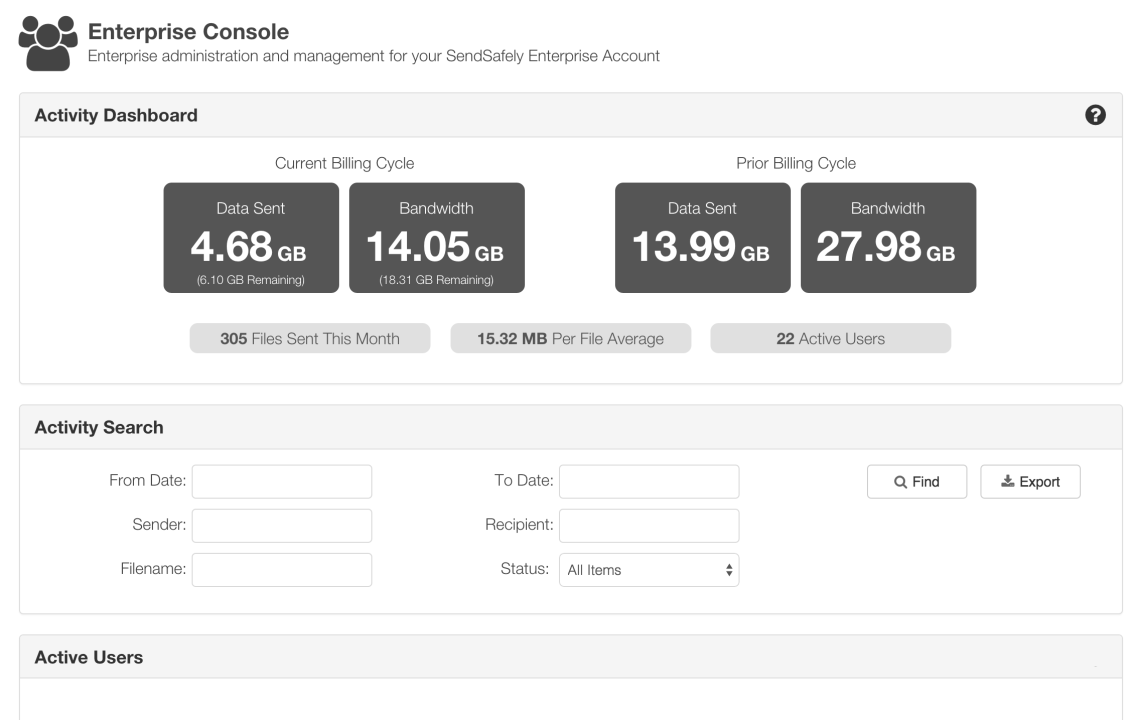
SendSafely admin console showing user management, plan settings, and platform controls
Admin console

One console. Every product.

Provision users, set retention, manage branding, and audit activity from a single admin surface.

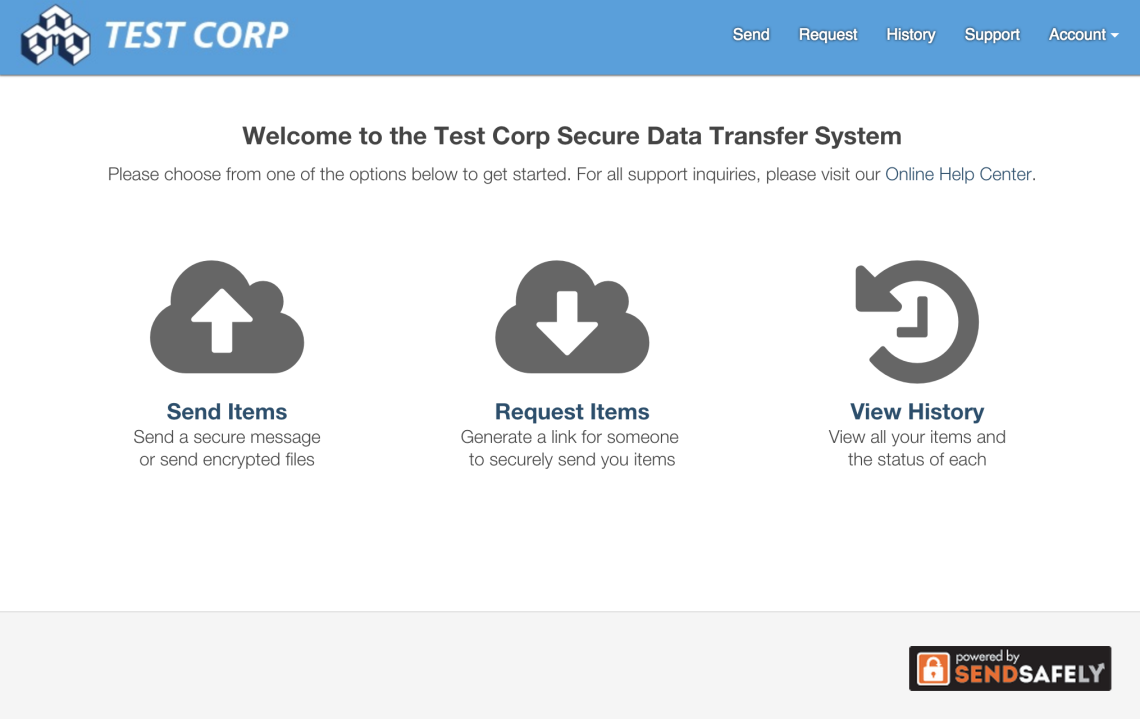
Branded SendSafely portal with custom company logo, colors, and domain
Branding

White-label portal.

Your logo, colors, and domain on every send, Workspace and Dropzone 

SendSafely SSO configuration screen with SAML identity provider settings
Identity

SSO & SCIM provisioning.

SAML SSO with Okta, Azure AD, Google, OneLogin, Duo, and any SAML 2.0 IdP. SCIM 2.0 for automated user provisioning and deprovisioning.

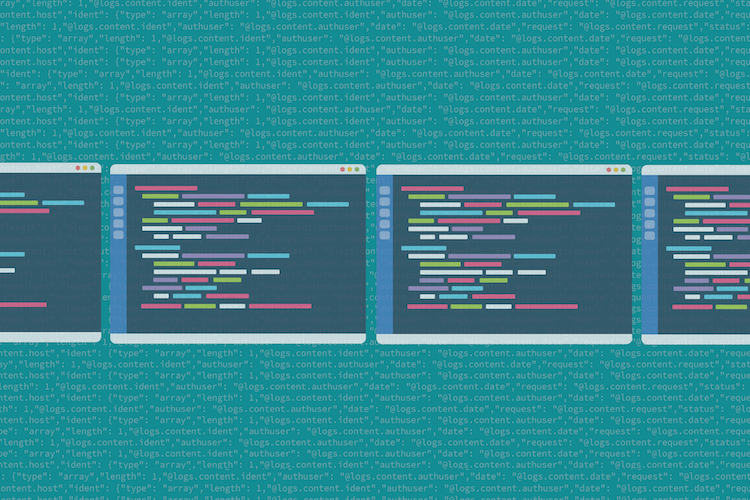
SendSafely audit log API JSON output streaming to a SIEM
Audit log API

Stream every event to your SIEM.

Every send, identity check, recipient open, download, and admin action is logged with timestamps. Pull it via the Audit Log API straight into Splunk, Sentinel, or Chronicle.

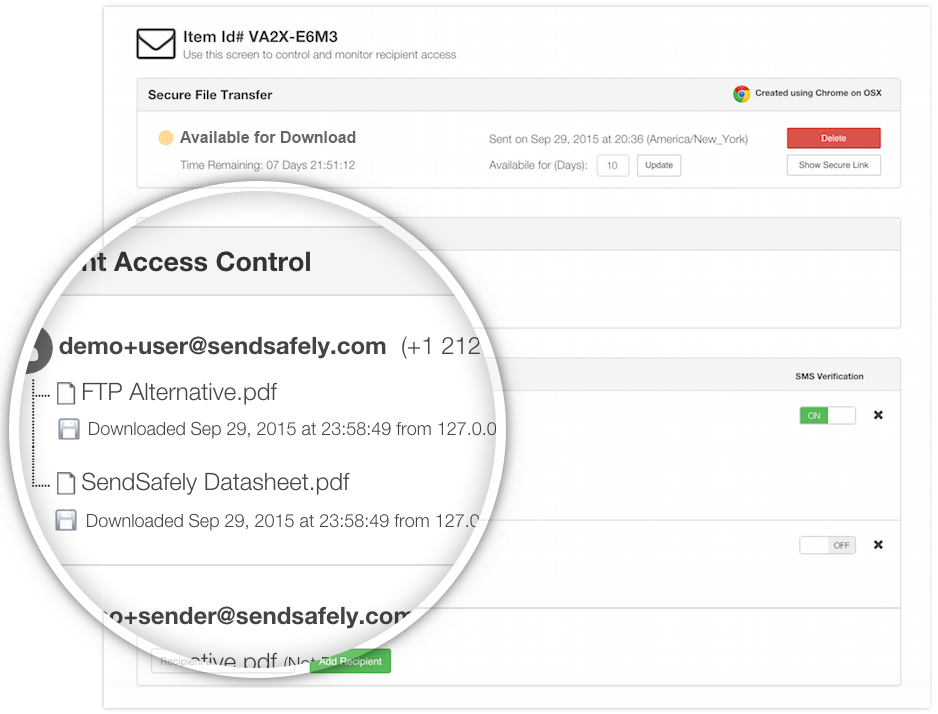
SendSafely download tracking dashboard showing per-recipient access timestamps
Per-package audit trail

Download tracking.

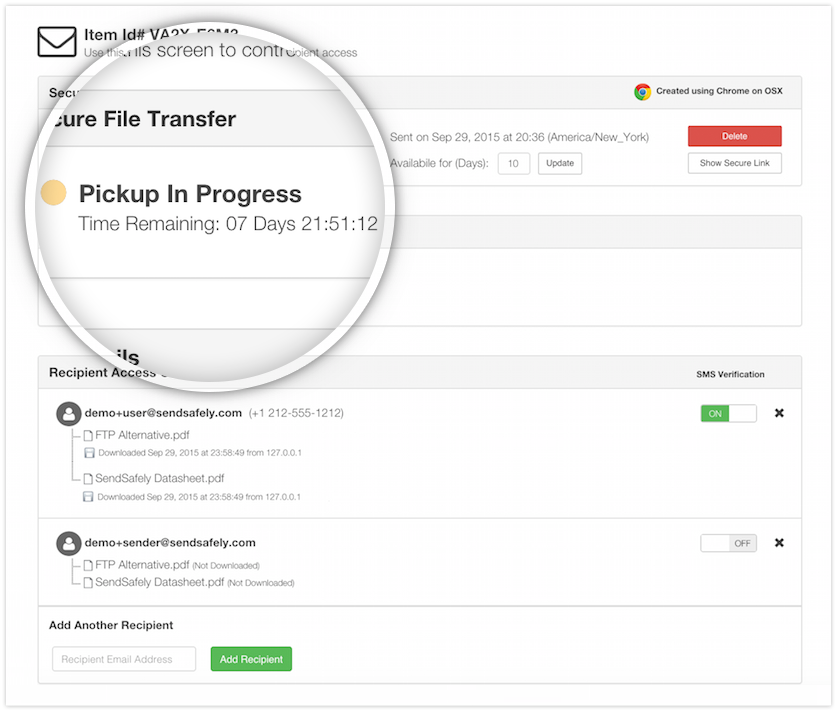
Who opened what, when, from where. Timestamps and IPs for every recipient on every package.

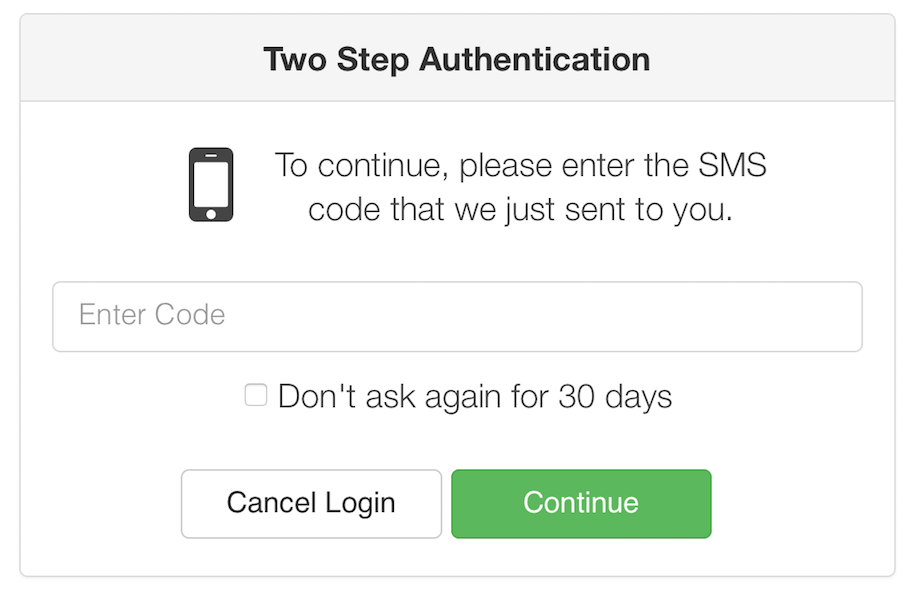
SendSafely SMS verification step prompting the recipient for a one-time passcode
Recipient verification

SMS & email OTP.

Per-recipient identity verification before any file can be decrypted. Configurable per send.

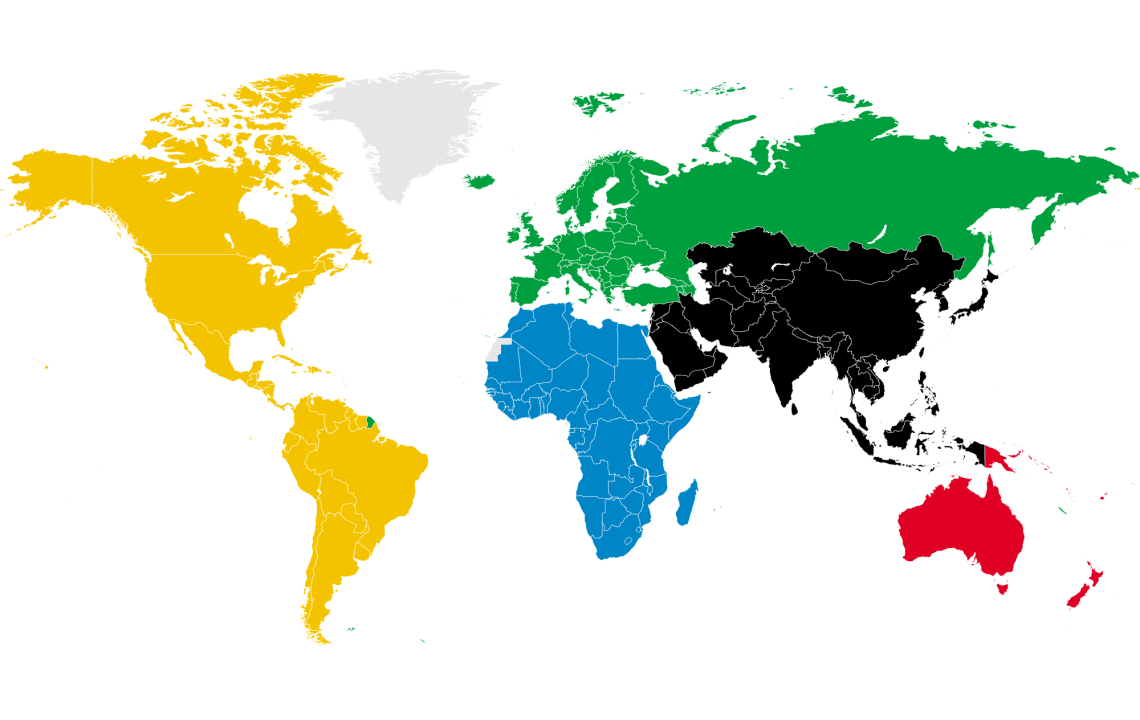
World map showing SendSafely hosting regions in the US, EU, and Australia
Data residency

Choose where your data resides.

Host in the US, EU (Ireland or Frankfurt), or Australia. Multi-AZ on AWS, 99.95% uptime, sub-processor list and region changes published in the Trust Center.

SendSafely package expiration controls with custom retention dates
Retention

Expiration & auto-delete.

Set retention by send, Workspace, Dropzone, or by org policy. Files expire on the date you set — and you can revoke any package at any time.

Leak controls

Discourage screenshots & unauthorized distribution.

Watermark the viewer's email address on PDFs and images, and restrict downloads, saving, and printing so files can only be viewed in the browser.

DLP & scanning

Virus, malware, and DLP scanning.

Chain CrowdStrike, OPSWAT, Sophos, or Google Cloud DLP into any upload with Actions. Scan on package finalize or Workspace upload — block, quarantine, or archive based on the result.

Shared foundation

Files are encrypted before they reach any server.

Every product runs on the same split-key architecture. OpenPGP client-side encryption, key splitting between recipient and server, full audit trail per file.

SOC 2 Type 2 audited annually. HIPAA, GDPR, CCPA aligned. EU customers can host in Ireland or Frankfurt; US customers can pin to any AWS region.

Compliance & certifications
SOC 2 Type 2 HIPAA PCI DSS GDPR CCPA
Client-side OpenPGP
Files are encrypted on the device before they ever leave it.
Split-key architecture
The decryption key is split so no single party—including SendSafely—can decrypt file contents on its own.
Full audit trail
Every send, recipient open, identity check, and download is logged with timestamps for compliance reporting.
Developer surface

Drive SendSafely from your AI client.

A Model Context Protocol server that lets Claude, GPT, and any MCP client run encrypted file operations programmatically. Create packages, add recipients, upload files, and audit activity — inside the agent.

~/work/sendsafely — claude code — v2.6 MCP connected
✳ Welcome to Claude Code
/help for help, /status for your status
cwd: ~/work/sendsafely · mcp: sendsafely (connected)
>Send the Q4 audit report to outside-counsel@apexlegal.com encrypted, with SMS verification.
mcp__sendsafely__send_package(recipients: ["outside-counsel@apexlegal.com"], identity: "sms")
Package XYZ123 sent. Encrypted on device. SMS dispatched.
Procurement FAQ

What security and procurement teams ask first.

The five questions that come up on every evaluation. Direct answers, with deeper docs in the Trust Center.

Do you support SAML SSO and SCIM?
Yes. SAML 2.0 SSO with Okta, Azure AD, Google, OneLogin, Duo, and any compliant IdP. SCIM 2.0 for automated user provisioning and deprovisioning, available on Business and Enterprise plans. Configuration walkthroughs are in the help center.
Can we host data in a specific region?
Yes. US (default), EU (Ireland or Frankfurt), or Australia. Each region is multi-AZ on AWS with 99.95% uptime and isolated key material. Region selection happens at provisioning — files never leave the region they were uploaded to.
What does the audit log API expose, and can it stream into our SIEM?
Every send, identity verification, recipient open, download, and admin action is captured with timestamp, actor, IP, and user agent. The Audit Log API delivers events as JSON; teams pull it into Splunk, Microsoft Sentinel, Chronicle, or any SIEM. Available on Enterprise plans.
Are HIPAA BAAs and the SOC 2 Type 2 report available?
HIPAA BAAs are signed on Enterprise plans. SOC 2 Type 2 (audited annually), the sub-processor list, security questionnaires, penetration test summaries, and our Data Processing Addendum all live in the SendSafely Trust Center. Subscribe there for policy-change alerts.
How does encryption actually work, and what can SendSafely see?
Files are encrypted on the sender's device before upload. The encryption key splits — one half stays in the recipient's link, the other on our servers. Neither half decrypts alone. We see ciphertext and the operational metadata needed to deliver and audit (sender, recipient, file name and size, timestamps) — never your file contents. The full walkthrough is on /howitworks/.
Get started

One platform. Pick the one that fits.

Talk to our team about which product is right for your workflow, or browse the pricing page to see what is included in each plan.