Skip to content
Home How it works
How it works

Cryptographically verifiable end-to-end encryption.

Review our cryptography. We rely on well-established, trusted algorithms and publish the technical details, so you can understand and validate how SendSafely works.

Powerful security that's simple to use

SendSafely is so easy to use, you won't even notice the cryptography at work behind the scenes. Here's a quick look at how Bob would securely send items to Alice using SendSafely. For a more technical overview, refer to our Security Overview page.

1. Bob uploads files for Alice

Bob creates an encryption key that will be used to protect the files he wants to send to Alice. The files are encrypted using that key before they are uploaded to SendSafely.

  • The key consists of a Client Secret and a Server Secret
  • SendSafely generates the Server Secret
  • Bob's PC automatically generates the Client Secret
  • SendSafely provides Bob with a link that he can send to Alice in order to access the files
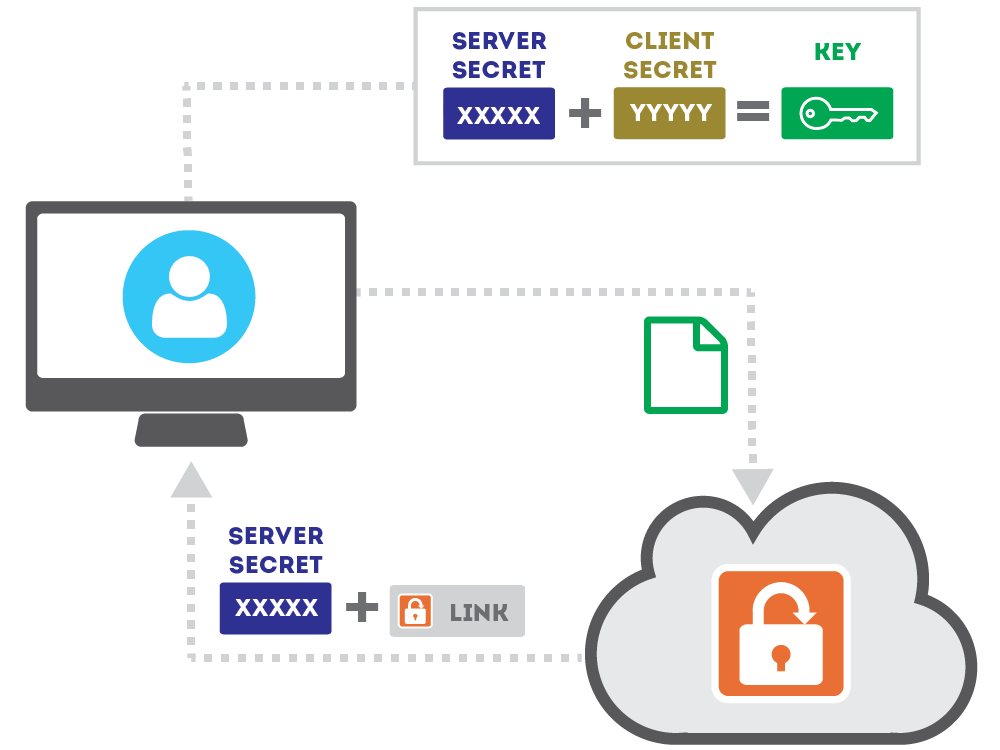
Step 1: Bob encrypts and uploads files
2. Bob sends Alice a Secure Link

Bob sends Alice a secure link to SendSafely that also includes the Client Secret. The secret is embedded within the URL Anchor of the link, so that it won't be disclosed to the server when the link is clicked.

SendSafely will verify Alice's identity before allowing access to the files.
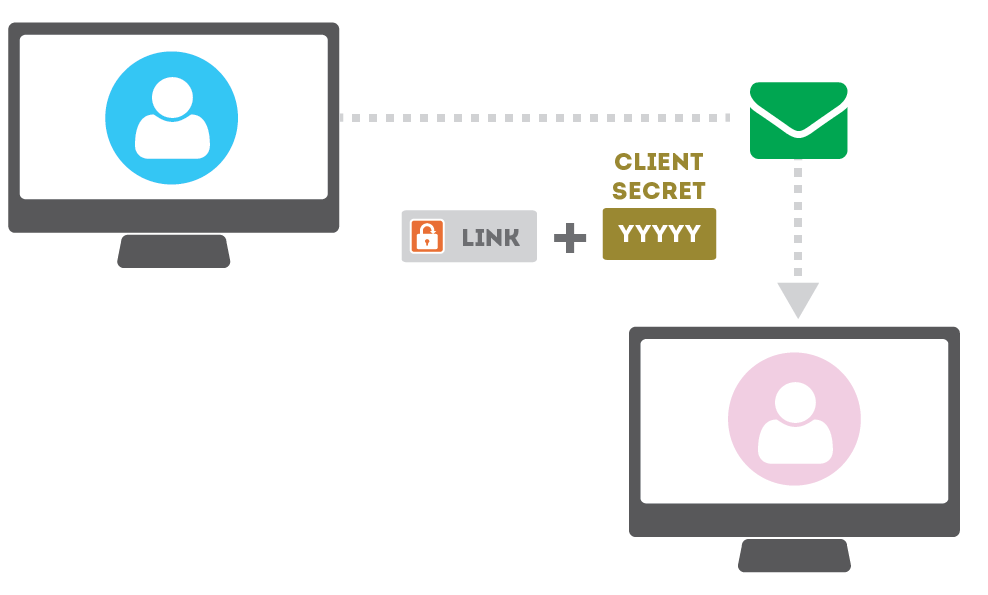
Step 2: Bob sends Alice a secure link
3. Alice uses the Secure Link

When Alice follows the link, her identity is verified by SendSafely using a one-time pass code to her email or phone. Once she is verified, the Server Secret and encrypted file is provided to her browser.

Alice's browser is able to re-compute the full key using the Server Secret and the Client Secret (read from the URL anchor) and decrypts the file.
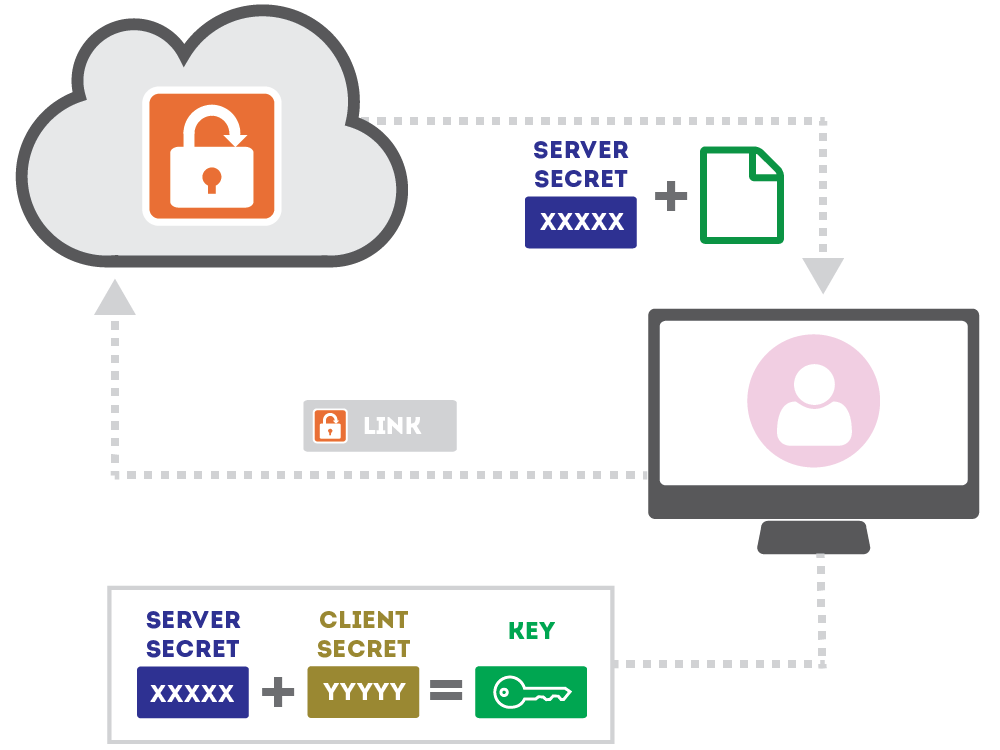
Step 3: Alice decrypts the file in her browser
Security by design

The same split-key model, on every surface. Email, helpdesk, AI.

Every file that moves through SendSafely is encrypted on the sender's device with OpenPGP. The platform sees ciphertext only.

SOC 2 Type 2 audited annually. EU customers can host in Ireland or Frankfurt. Independent edgescan testing year-round.

Compliance & certifications
SOC 2 Type 2 HIPAA PCI DSS GDPR CCPA
Client-side OpenPGP
Files are encrypted on the device before they ever leave it.
Split-key architecture
The decryption key is split so no single party—including SendSafely—can decrypt file contents on its own.
Full audit trail
Every send, recipient open, identity check, and download is logged with timestamps for compliance reporting.
Get started

Built to meet enterprise security requirements.

See the split-key flow in your own browser, or request the SOC 2 Type 2 report and talk to our team about your compliance requirements.