Skip to content
Home Features Workspaces
Workspaces

Persistent encrypted folders for teams that share sensitive files.

Long-lived collaboration spaces with role-based access, version history, watermarking, and a full audit trail, all protected by end-to-end encryption. The shared drive your security and compliance teams will actually approve.

What it is

A Workspace is a long-lived, encrypted shared folder.

Send & Receive moves a one-off package between a sender and a recipient. A Workspace is a place — a persistent encrypted folder that a defined group of people work inside over weeks, months, or the life of an engagement.

One folder, many collaborators, end-to-end encrypted.

Workspaces give your team an encrypted alternative to consumer cloud storage — built around the controls regulated industries require. Files are encrypted on the contributor's device with OpenPGP before they ever reach a server. Recipients decrypt with a decryption key the server never sees.

Each Workspace is isolated and least-privilege by default — you decide who's in it, what they can do, and which folders they can see. SendSafely only ever sees ciphertext and account metadata, never your file contents. We never hold the full key.
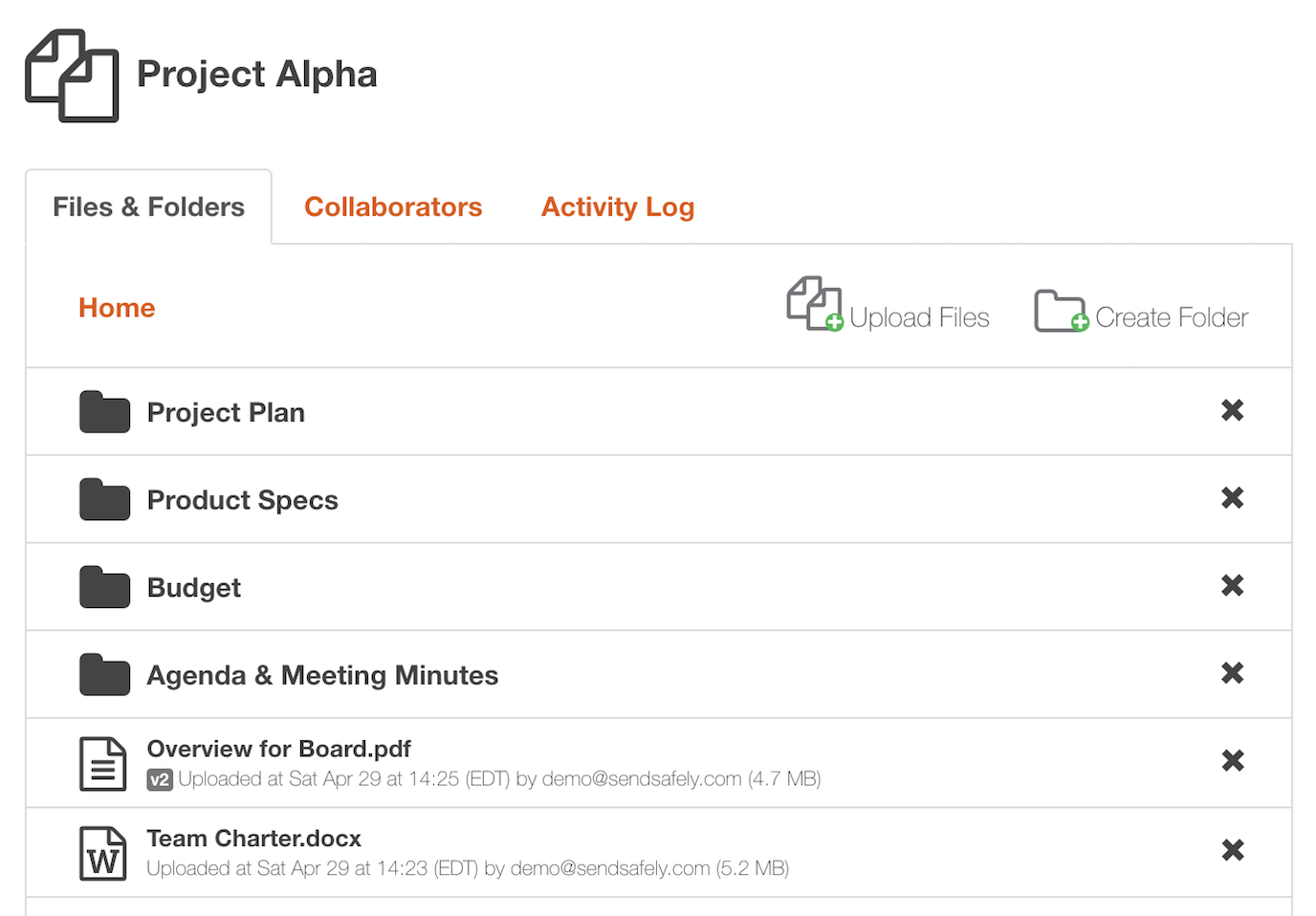
app.sendsafely.com / workspaces / vendor-diligence-q2
A SendSafely Workspace showing folders and files with the Files & Folders, Collaborators, and Activity Log tabs
Workspace or Send Item?

When you need a place and not just a transfer.

Send & Receive is built for moving a file from A to B and walking away. A Workspace is for an engagement that lives longer than the file does.

Send Item

A one-off encrypted transfer. Sender uploads, recipient downloads, the package expires. Permissions exist only for the duration of that single send.

  • One sender, one set of recipients
  • Files expire on a configurable schedule
  • No ongoing collaboration after delivery
  • Best for: contracts, signed NDAs, one-time evidence drops

Workspace

A persistent encrypted folder. Long-lived collaboration space. The folder persists, the collaborator roster persists, the audit log persists. Versions of every file are kept until you say otherwise.

  • Defined team with assigned roles per folder
  • Lives weeks, months, or the life of the engagement
  • Version history & full activity log per file
  • Best for: M&A diligence, evidence rooms, vendor exchange
Access control

Three roles, one granular permission model.

Each Workspace has its own collaborator roster. Roles control what a collaborator can do, and folder-level permissions control where they can do it.

Capability
Viewer
Contributor
Admin
Browse and download files
View embedded PDFs & images (no local save)
Upload, edit, version, and delete files
Create folders and subfolders
Invite, remove, and reassign collaborators
Configure watermarking & save/print restrictions
Export the activity log for compliance reporting
In practice

What teams use Workspaces for.

Anywhere you exchange sensitive files repeatedly with the same external party — and where one-off email or transfer links would force you to recreate the security boundary every single time.

Compliance evidence rooms

SOC 2, ISO 27001, PCI, and HIPAA audit evidence collection. Controls owners are Contributors; Auditors get Viewer access to the folders they need; the activity log is the chain of custody.

M&A and diligence

Deal-side data rooms where outside counsel, bankers, and the buyer's team each see a different slice. Watermark every PDF and image with the viewer's email to discourage leaks.

Vendor & partner file exchange

A long-running encrypted folder per vendor: pen-test reports inbound, signed contracts outbound, audit evidence both ways. Roles persist across the engagement.

Outside counsel & legal hold

Each matter gets its own Workspace. Save/print is restricted, files are watermarked, and every view is logged with a timestamp.

PHI and clinical exchange

HIPAA-covered entities and business associates exchanging files containing PHI. BAAs are available on Enterprise plans; end-to-end encryption covers every file at rest and in transit.

Incident response handoffs

A locked Workspace shared with your IR firm and counsel: forensic images, log exports, and findings versioned over the lifetime of the incident, with a full audit of who saw what.

Built for regulated industries

The encryption regulated industries need

Every file in a Workspace is encrypted on the contributor's device using OpenPGP before it ever leaves it. The decryption key is split between the message and the recipient — SendSafely sees ciphertext only, on every file, in every Workspace.

Audited annually. SendSafely maintains the certifications regulated industries require.

Compliance & certifications
SOC 2 Type 2 HIPAA PCI DSS GDPR CCPA
Client-side OpenPGP
Files are encrypted on the device before they ever leave it.
Split-key architecture
The decryption key is split so no single party—including SendSafely—can decrypt file contents on its own.
Full audit trail
Every send, recipient open, identity check, and download is logged with timestamps for compliance reporting.
Get started

Replace the shared drive with an encrypted folder.

A Workspace your auditors will love, your team will actually use, and your CISO will sign off on. Walk through it live with a SendSafely engineer.