Threat actors are targeting Zendesk environments through social engineering and account compromise. SendSafely embeds encrypted file collection into Zendesk Support, Help Center, and Messaging, so a compromised agent session can't translate into unfettered access to sensitive customer documents. The blast radius shrinks materially.
Your service desk shouldn't store sensitive data.
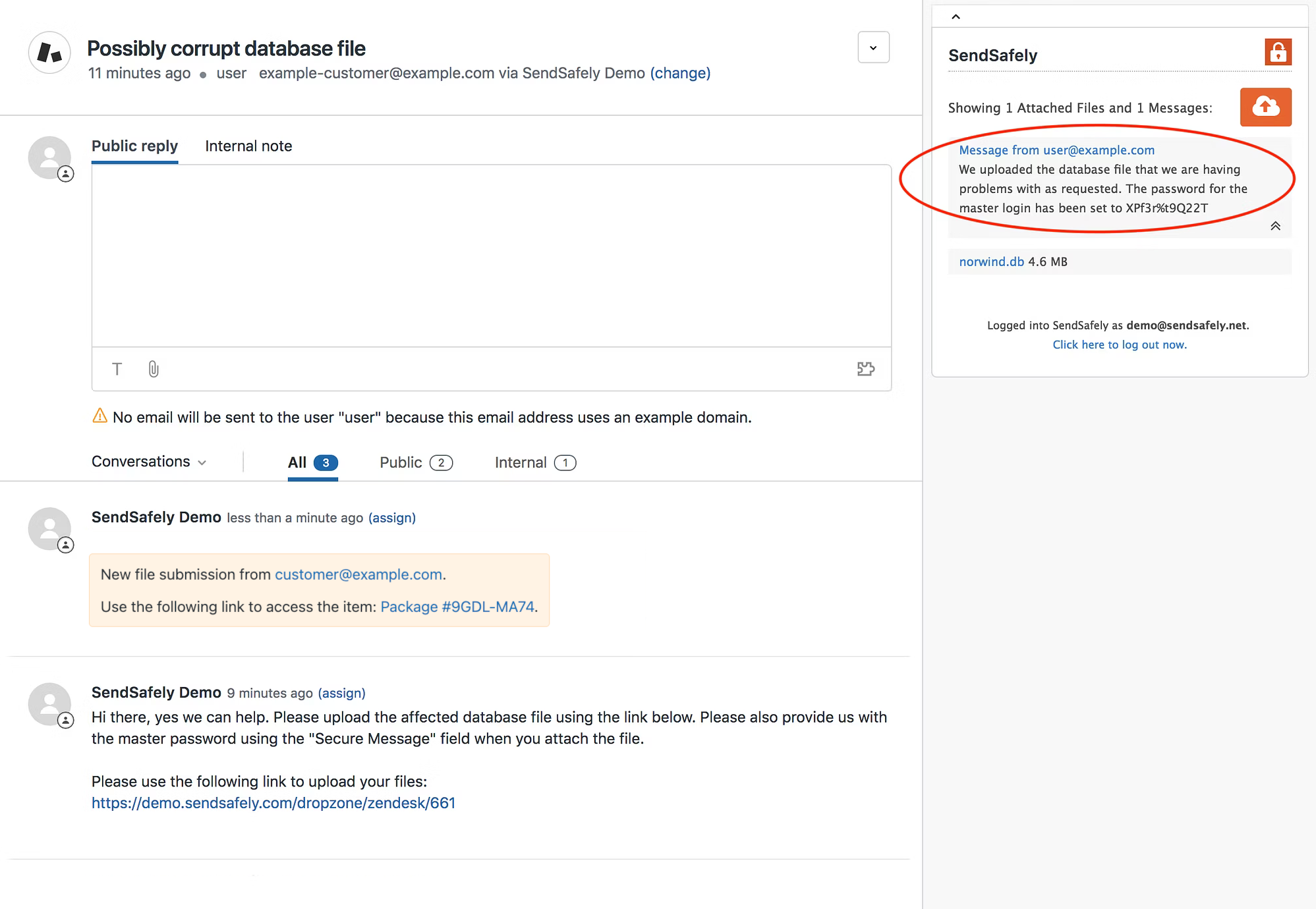
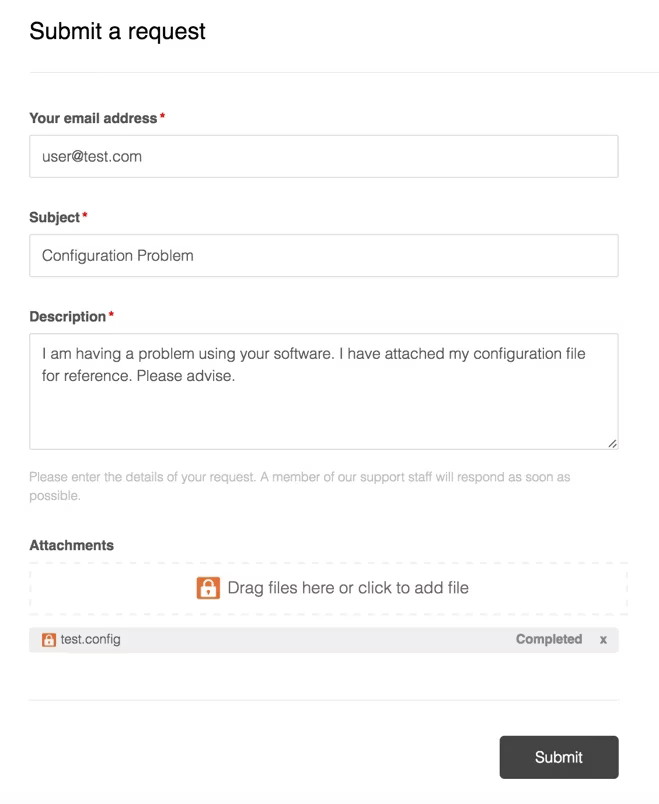
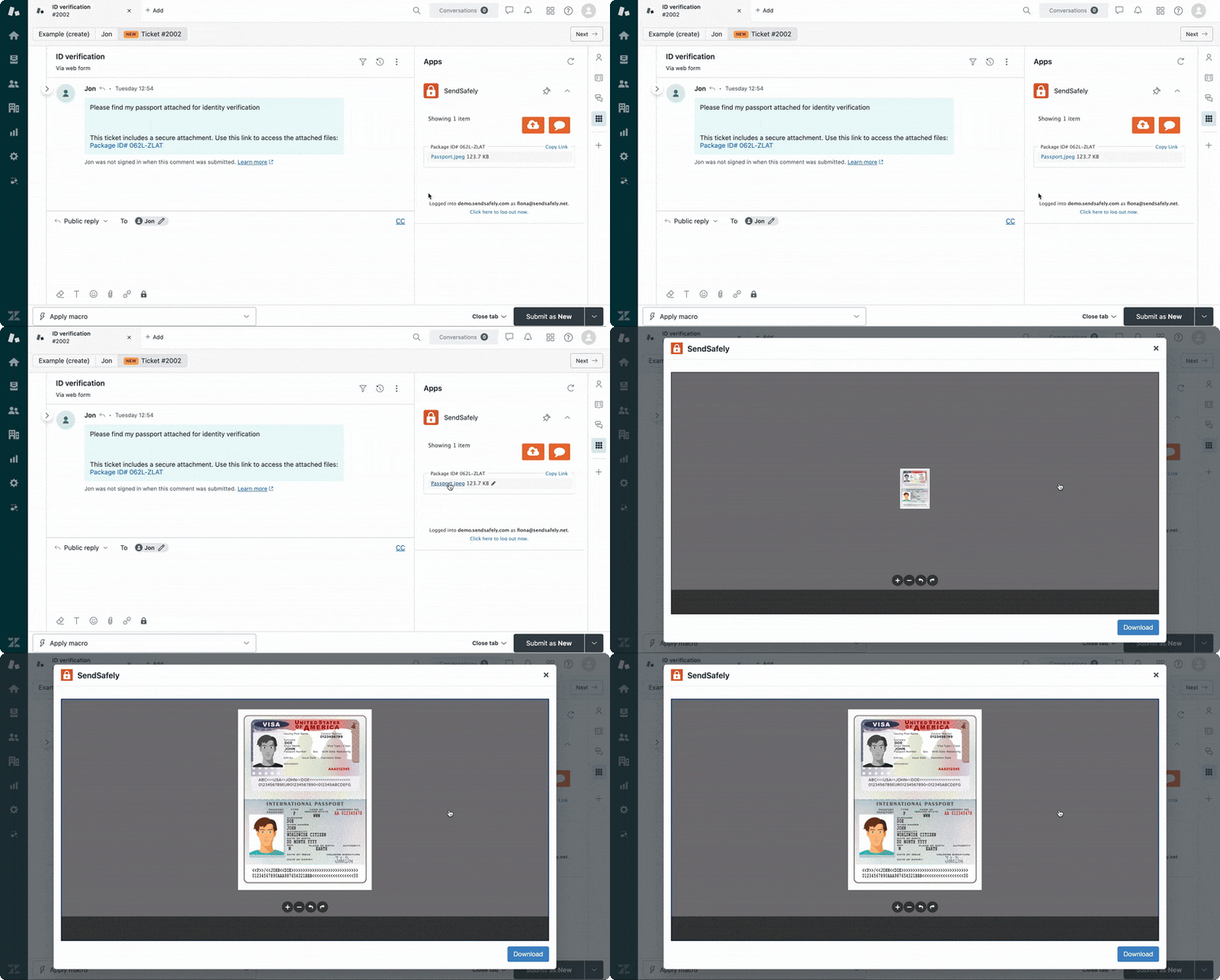
SendSafely embeds directly into the Zendesk agent console, Help Center, and Messenger. Every file is end-to-end encrypted on the sender's device before it leaves the browser. Only the sender and intended recipient can decrypt.
Zendesk caps attachments at 20 MB and stores files using encryption keys they manage. SendSafely replaces that — files up to 10 GB, end-to-end encrypted, with complete file level audit logging. No extra software for recipients. No workflow changes for agents.
Teams across healthcare, finance, legal, and government use SendSafely to collect encrypted files through the Zendesk workflows they already run.
Patient records, insurance forms, medical images, lab results, and referral documents
HIPAAW-9s, tax documents, account statements, audit files, and transaction records
FINRA/SEC PCI DSSContracts, NDAs, case evidence, court filings, and privileged communications
SOC 2Onboarding documents, ID verification, background checks, and payroll files
GDPR CCPALog files, crash dumps, incident evidence, config exports, and vulnerability reports
SOC 2Citizen documents, permits, compliance filings, tax records, and sensitive correspondence
CCPA GDPREvery Zendesk touchpoint — agent console, Help Center, Dropzone, and Messenger — runs the same end-to-end encrypted file exchange.
One-click encrypted file sharing from the Zendesk agent console. Files are linked to tickets automatically.
Replace standard Zendesk attachments with end-to-end encrypted transfers. Customers upload from the portal they already use.
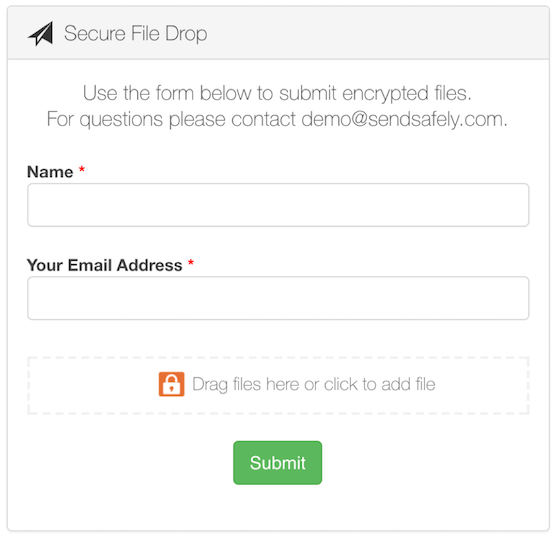
Send users a link to a branded upload portal that automatically posts files to the correct Zendesk ticket. Works on any device, no login required.
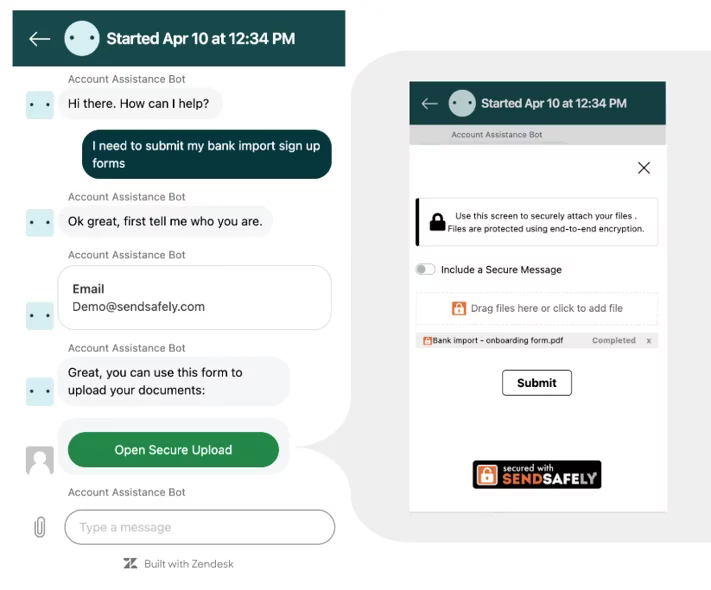
When Zendesk's chat workflows need to collect sensitive files, SendSafely handles the encrypted exchange — inside the conversation, with no handoff required.
Only the sender and recipient can decrypt.
Every file is encrypted on the sender's device before it leaves the browser. SendSafely's split-key architecture means no single party — not Zendesk, not SendSafely — can access file contents. Only the intended recipient can decrypt.
Files encrypted on the sender's device using client-side OpenPGP before upload. The file never exists unencrypted on any server.
Files are never stored on Zendesk servers. Only secure links are shared inside tickets, minimizing your attack surface.
Define precise permissions for every file. Restrict by email, require authentication.
Watermarking and restricted save/print capabilities prevent recipients from redistributing sensitive documents.
Configurable retention policies auto-delete files after a set period. Data isn't retained longer than necessary.
Every upload, download, access event, and expiration logged with timestamps. Full visibility for compliance teams.
Set up in minutes, not months.
Install from the Zendesk Marketplace with one click. No code changes, no IT tickets. Start a free trial and your agents are collecting encrypted files the same day.
Bypass Zendesk's 20 MB attachment limit. Send large logs, videos, and database exports.
Files link directly to their tickets. Agents never leave the Zendesk console.
Eliminate the back-and-forth requesting alternative file sharing methods.
Install from the Zendesk Marketplace. No code, no IT tickets, no training.
See how SendSafely embeds end-to-end encrypted file exchange into every Zendesk channel. Set up in minutes, not months.
Request Demo