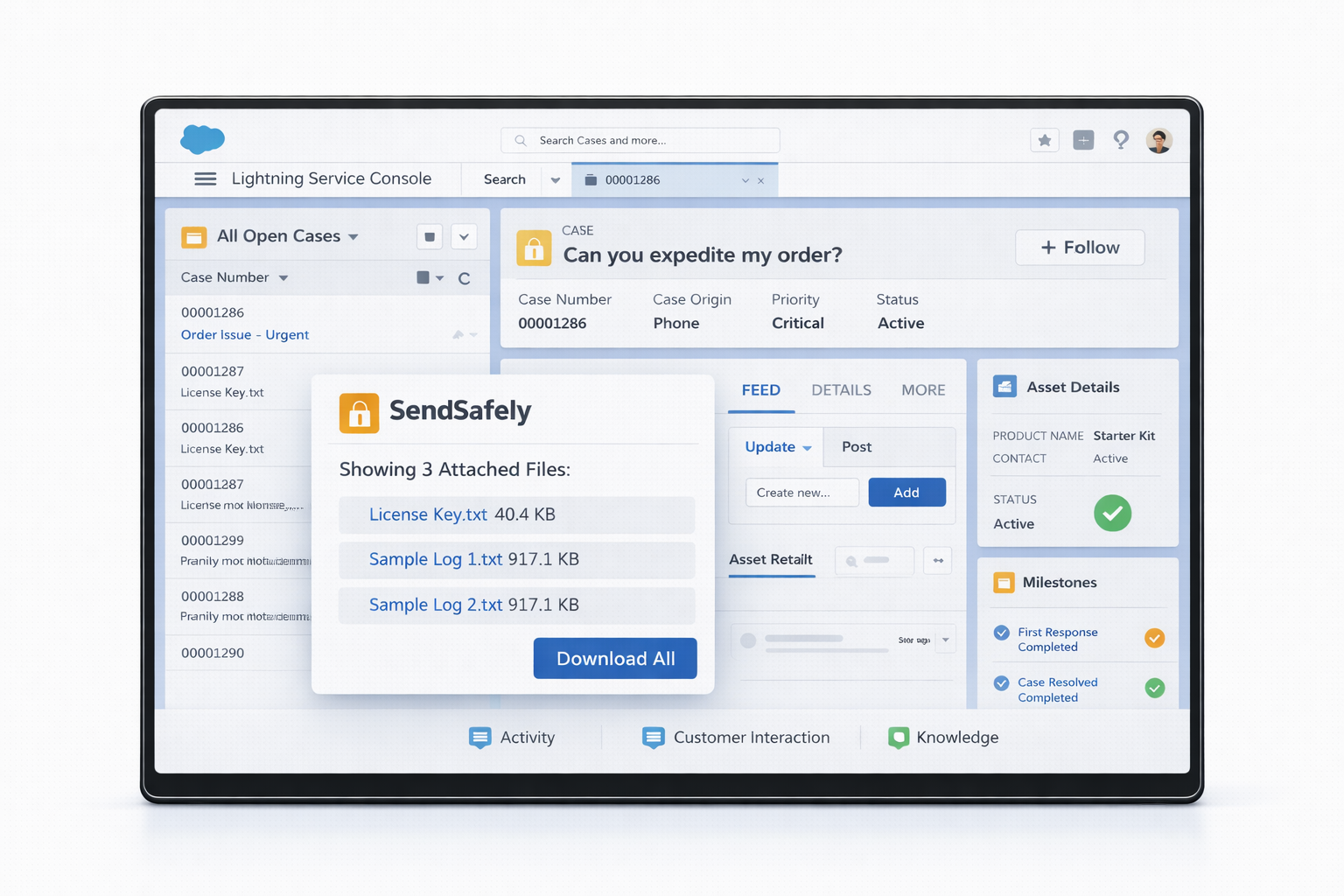
Protect all customer file transfers with advanced encryption technology that keeps sensitive information secure throughout the entire transfer process.
Files are never stored on Salesforce servers – only secure links are shared, minimizing vulnerabilities and protecting your data.
Ensures only authorized parties can access sensitive data, with comprehensive logging of all views and downloads for complete visibility.
Watermarking and restricted file save and print capabilities prevent recipients from downloading or printing shared images and PDF files.
Set customizable expiration policies that automatically delete shared files after a specified time period, ensuring data isn't retained longer than necessary.
Agents send, receive, and view encrypted files directly within Salesforce Service Cloud.
Let customers securely submit files through your Experience Cloud Portal.
Collect files from outside Salesforce with automatic case integration.
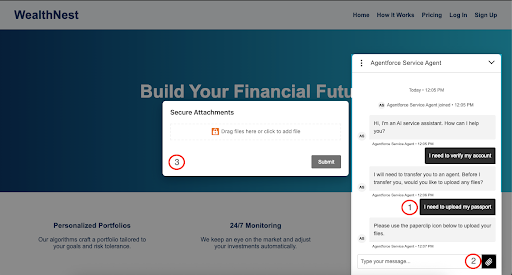
Automate secure file collection with AI-powered chats in Salesforce Agentforce.
Agents send, receive, and view encrypted files directly within Salesforce Service Cloud.
View all securely attached files directly in the Salesforce Service Cloud case or custom object, eliminating the need to switch between platforms or manage separate logins.
Easily send encrypted files to customers, maintaining security without compromising on convenience or speed.
Control authentication requirements for customer access, balancing security needs with user experience for different types of information.
Get started quickly with free installation from the Salesforce AppExchange, with premium features available through SendSafely subscriptions.
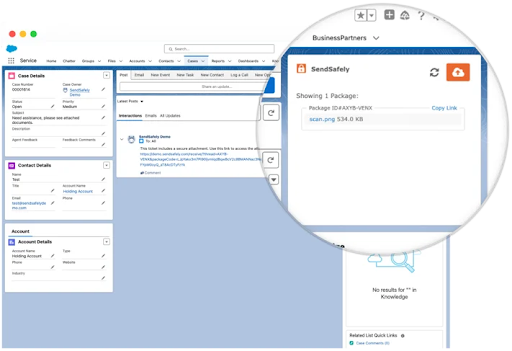
Let customers securely submit files through your Experience Cloud Portal.
Replace standard Salesforce attachments with encrypted transfers marked by a distinctive orange padlock icon.
Maintain the familiar Salesforce interface while adding powerful security features.
Secure download links are automatically posted to your choice of Chatter Feed, Case Comment or a custom field.
Control which file formats customers can upload, preventing unauthorized file types and enhancing security governance.
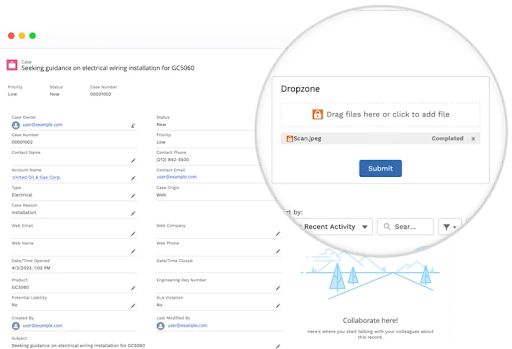
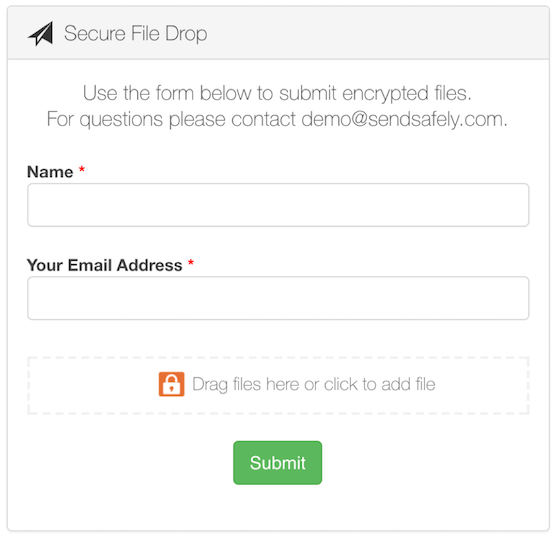
Collect sensitive files outside Salesforce (e.g., via email workflows) using a branded hosted Dropzone, then automatically attach them to the correct case or object using a connector.
Create a customizable portal that matches your brand identity for a seamless customer experience when collecting files outside of Salesforce.
Cases automatically update when files are submitted, keeping agents informed and maintaining a complete record of all communications.
Encoded links automatically associate uploads with the correct case number, eliminating manual tracking and reducing errors.
Perfect for collecting files from customers on mobile devices, ensuring security and ease of use regardless of access level or device type.
Completely automated secure file collection with Agentforce AI Agents.

AI agents automatically recognize when customers need to share sensitive files and seamlessly initiate the secure upload process without human intervention.

Maintain end-to-end encryption throughout the entire conversation flow, ensuring customer data remains protected even when collected through automated AI interactions.

Enable round-the-clock secure file uploads with AI assistants that can collect sensitive documents outside of business hours, improving customer satisfaction.

When human agents join the conversation, they immediately have access to securely shared files with complete conversation context for a smooth transition from AI to human support.
Protect patient health information with controls that satisfy healthcare compliance requirements.
Meet European data protection standards for handling personal information.
Comply with California consumer privacy regulations.
Secure payment card information with appropriate controls.
Satisfy financial services regulatory requirements.
Maintain compliance with security control standards.
Streamline your customer service workflows with SendSafely's optimized integration.

Handle large files of up to 10GB without the constraints of Salesforce upload limits and expensive file storage costs, enabling customers to share detailed logs, videos, and complex documentation effortlessly.
Eliminate the back-and-forth communications requesting alternative file sharing methods, allowing your team to access critical information immediately and resolve tickets faster.
Files are conveniently linked to their associated tickets, creating a seamless experience for both agents and customers without disrupting your existing processes.
Maintain enterprise-grade security while providing a user-friendly experience that requires no technical expertise from your customers or customer facing team.

Comprehensive audit logs track all file access and activity.


Define precise access permissions and time limits.


Keeps files protected throughout their lifecycle.
SendSafely's security-first approach gives your team the tools they need to protect sensitive data without hindering operations. Security professionals gain confidence knowing that every file transfer adheres to best practices automatically.
Comprehensive audit logs track all file access and activity.
Define precise access permissions and time limits.
Keeps files protected throughout their lifecycle.

No need to switch between applications, keeping your workflow streamlined and efficient.

Intuitive interface requires minimal onboarding for new support team members.

Accelerate support processes with streamlined file sharing capabilities, which is both secure and fast.

Meet regulatory requirements without additional effort or complex procedures.
Install directly from the Salesforce AppExchange with just a few clicks – no complex setup required.
Test all features with our comprehensive free trial options, before committing to a subscription.
Receive personalized assistance for enterprise implementation from our expert technical team.
Contact our team for a personalized demonstration tailored to your specific support workflow needs